SMS replies and two-way confirmation

We've been making some big improvements to the SMS and messaging system for bookings.
We’re really excited about the new features because it will help your business to deliver great customer service. You might have noticed we’ve added a new Messages tab which allows you to view the SMS and email messages sent to your customers. And now our New Zealand and Australian clients can receive SMS replies from their customers. We’ve even added the ability for customers to confirm appointments themselves.
This is great news for businesses that want to:
- Stay engaged with their customers rather than sending a one-way message
- Save time by allowing customers to confirm their own appointments rather than chasing up each individual customer by phone, SMS or email
SMS replies
You can turn on SMS replies by going to Settings > General settings > Notification and reminder settings > Two-way messaging
When SMS replies are enabled you’ll notice a new Received option in the Messages tab:
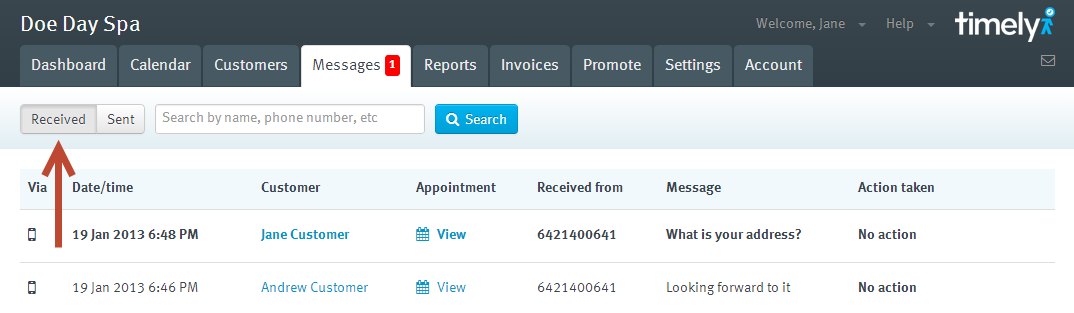
This allows you to view all the SMS replies that have been sent to you. You can toggle between Received and Sent messages and you can search for specific messages by entering the customers name or mobile number.
You’ll also notice that when you get new messages we’ll alert you by showing a counter on the Messages tab. This is updated as soon as message is received and is cleared once you have viewed the new messages.
Allowing customers to confirm their own appointment
Another new feature is the ability for customers to confirm their appointment when they are sent an SMS or email reminder. You can activate this feature by going to Settings > General settings > Notification and reminder settings and under the Two-way messaging section click Allow customers to confirm pencilled-in appointments when sent a reminder.
Notice that this setting only applies to pencilled-in (e.g. tentative) appointments. If you add a confirmed appointment to the calendar the customer will still be sent a reminder but won’t have the ability to confirm it.
For this reason we recommend that you also turn on Make pencilled-in the default status for new appointments. Appointments will then be added to the calendar as pencilled-in…
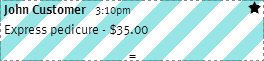
… and the customer will then be sent an SMS reminder that looks like this:
Hi John, This is a friendly reminder of your appointment with Doe Day Spa on Sat, 19 Jan at 3:10 PM. Text ‘Y’ to confirm or call (01) 234 5678 to change.
When the customer replies back with ‘Y’ the appointment on the calendar will change to…
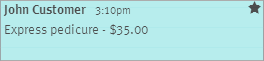
… and the SMS reply will register in the Received messages section like this:

Pretty neat huh?
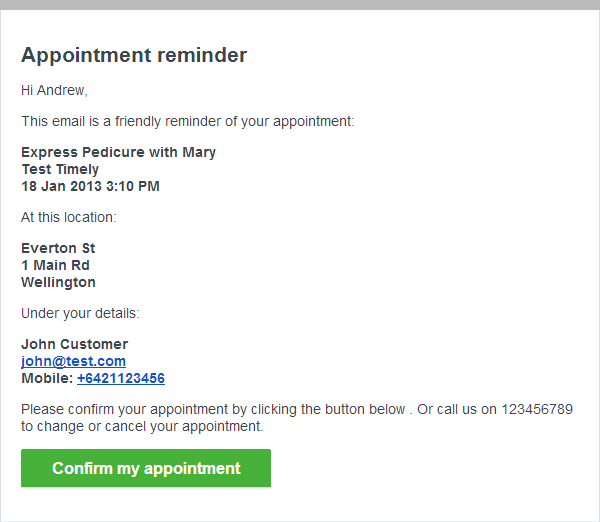
We’ve also added a Confirm my appointment button to email reminders. This automatically confirms the appointment when clicked on.
Costing for SMS replies
Each SMS reply costs 0.5 credits and will automatically be deducted from your SMS balance. There is no charge for email reminders.

When is this available to the rest of us? I am in Australia
Hi Simon, we are looking to add support for this in Australia within the next month. Thanks for your patience!
Legend!!!
Two-way SMS is now available in Australia!
When will this be available in Canada?
Hi Sasha, good question. We're planning to add two-way SMS support for Canada but no firm dates yet.
I encourage you to add your vote to this user forum idea about this very thing to keep it on our radar.